Dealertrack is a powerful DMS, but its fully formatted customer- and vendor-facing forms are built for physical printers. PrintSent gives those print jobs a digital destination: add it like any other printer, print to it like any other printer, and the job becomes a full-fidelity PDF — complete logos and formatting — ready to email, download, or print.
Under 30 minutes to set up. No software on your workstations.
One month · our first launch store
$1,155.91
saved across 3,231 pages and 880 documents
The problem
When a customer needs a receipt or a vendor needs a statement, the routine is the same in parts, in service, and in the business office: print the document, walk to the printer, scan it back in, email it to yourself, then forward it. That happens dozens of times a day, in every department.
Dealertrack gives you plenty of digital output already — report exports in PDF, CSV, and TXT, PDF generation in areas like sales, and the built-in QPRINT option for output without a physical printer. Where the gap opens is on the fully formatted forms: those are built for physical printers, and QPRINT is designed for quick text-only files rather than branded documents, so it leaves off the logos and layout.
So for anything a customer or vendor actually sees, paper becomes the workaround — and the store pays for it in toner, printers, postage, and the staff hours spent walking and scanning documents that were already digital before anyone hit Print.
PrintSent bridges that gap. It captures the full print stream — exactly what a physical printer would have produced — so you get a pixel-perfect PDF with complete logos and formatting, and the print-scan-email cycle goes away entirely.
How it works
Nothing to learn and nothing to install on a workstation. The only change is which printer your team picks.
We ship you a small, pre-configured PrintSent device. No servers, no workstation software — it arrives ready to go on your network.
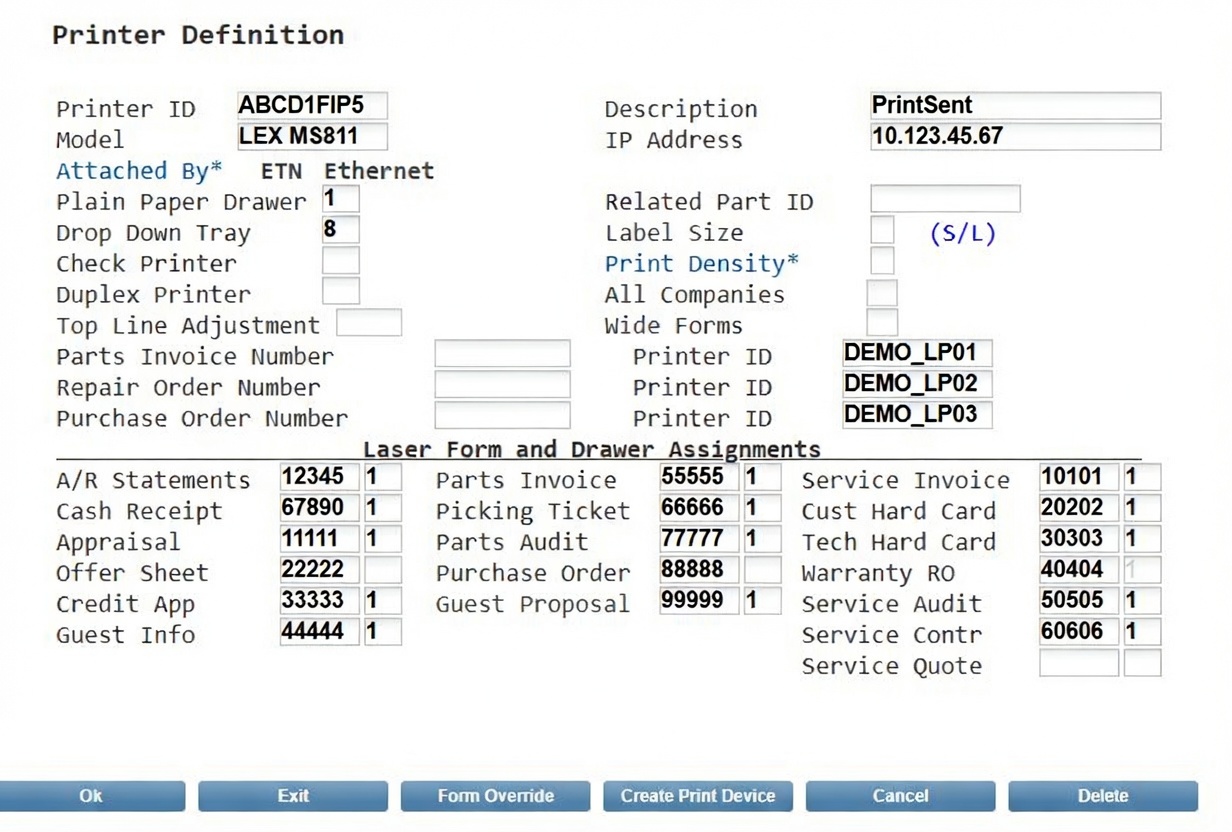
You add PrintSent to Dealertrack like any other printer. Added once, and it's available everywhere your team already prints from.
Your team prints to it like any other printer. The job is captured as an exact PDF — page-for-page what would have come out of the tray — and lands in a live tray in seconds.
What your team sees
Documents appear the instant they print. Anyone assigned to that department sees the same tray, and can preview, email, download, or print anything in it.
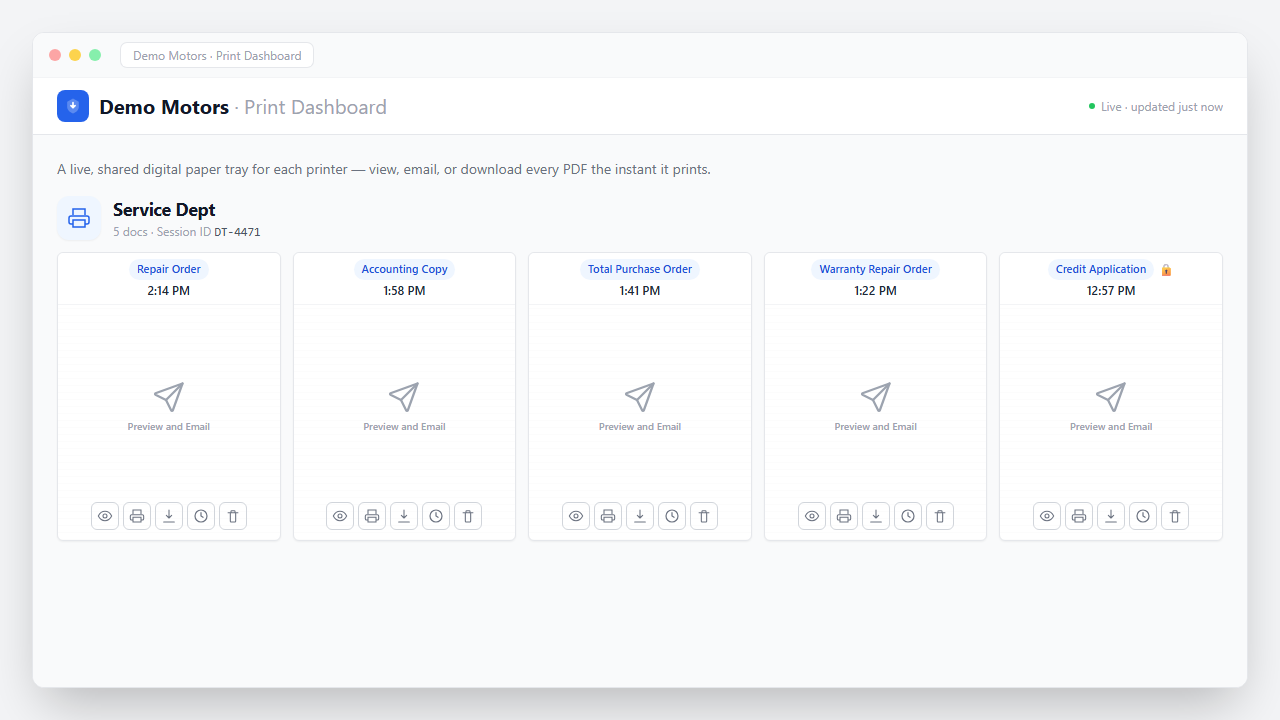
The PDF is page-for-page what your printer would have produced — the same formatting, logos, and layout.
Service, parts, and accounting each see their own queue instead of one shared pile.
Send a customer or vendor their copy without printing it, scanning it, or leaving the desk.
A hard copy is still one click away. Paperless by default, not by force.
The document is still there when someone calls back about it — no digging through a stack.
Full history on every document: who viewed it, who sent it, and where it went.
Coverage
There's no per-document setup and no list to maintain. Anything your team prints today can become a tracked digital document instead.
Statements of Account
Most paperwork just needs to stop being paper. The monthly Statement of Account run needs more than that — so Statement Sender handles it end to end.
Your statement run comes out as one long document with every vendor's statement inside it. In most stores that gets printed in full, sorted by account, folded, stuffed, stamped, and mailed — or printed only so someone can scan each statement back in and email them out one at a time. For a few hundred accounts, that's hours every month.
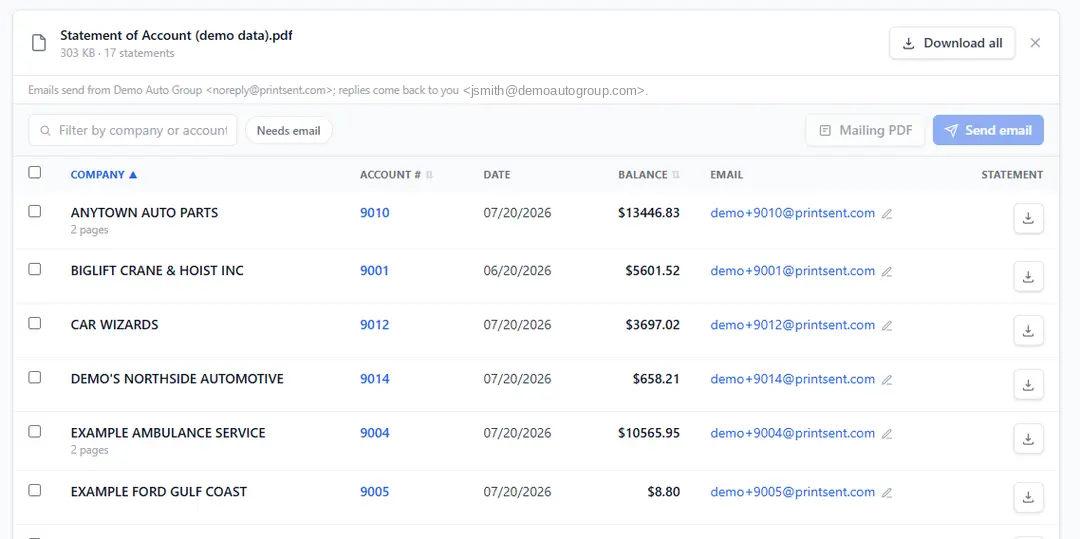
Print the run to PrintSent instead, and Statement Sender splits that single PDF by account, matches each vendor to a saved email address, and sends every statement in one pass.
Also worth passing along
One device covers the whole store, but each department feels a different win first.
Accounting
Statement runs emailed, tracked, and reconciled without printing a page.
You're hereFixed ops
ROs, invoices, and picking tickets in a shared digital tray — nobody leaves the desk.
See the fixed-ops view →Ownership
What paperless is worth per rooftop, in hard dollars and recovered hours.
See the numbers →Pricing
No per-page, per-document, per-user, or per-department fees. The device is yours to keep.
Every feature is included, Statement Sender among them. See everything that comes with it →
Get started
Fifteen minutes on a call is enough to see your own documents come through as full-fidelity PDFs.